
On the GlobUNT "Filter Climate" tab you can filter species based on global bioclimatic zones developed for the TreeGOER database. This filtering method helps ensure that the selected species are well-adapted to the climate conditions of your planting site, minimizing the risk of maladaptation.
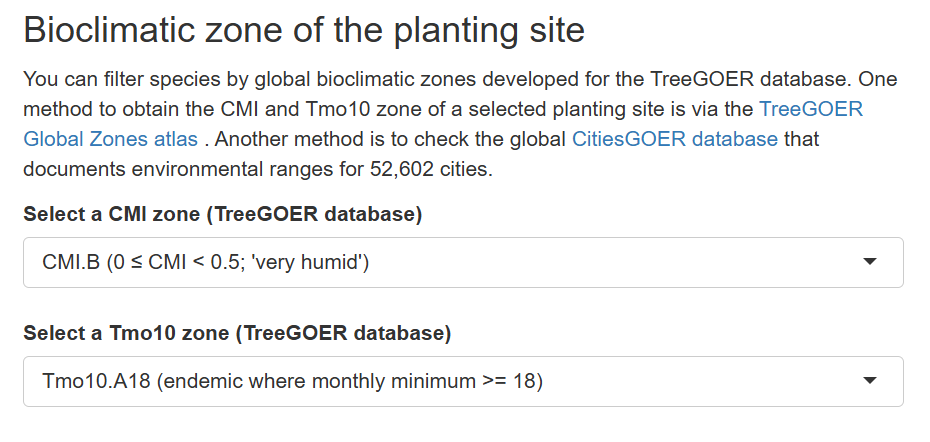
This filtering uses two key bioclimatic parameters:
- CMI (Climate Moisture Index) – A measure of the balance between precipitation and evapotranspiration.
- Tmo10 (Mean Temperature of the Hottest Month) – Reflects the temperature conditions during the hottest month at your location.
How to determine the CMI and Tmo10 of your planting site
You can find the CMI and Tmo10 zones for your planting site using these methods:
- TreeGOER Global Zones Atlas
Locate your planting site on this atlas to determine the corresponding CMI and Tmo10 zones. - CitiesGOER Database
Use this database, which documents environmental ranges for 52,602 cities, to cross check the climate data by city.
Step by step to filtering by bioclimatic zone
- Select a CMI Zone
Identify the Climate Moisture Index (CMI) that matches the moisture conditions of your planting site. This helps ensure that the species you choose can thrive under the specific moisture balance of your area.
Example:
CMI.C (-0.35 ≤ CMI < 0) – Represents a humid zone.
2. Select a Tmo10 Zone
Choose the appropriate Tmo10 category, which reflects the mean temperature during the hottest month at your location. This helps select species that are adapted to the region’s temperature extremes.
Example:
Tmo10.A (Tmo10 = 12) – Represents a tropical zone.
By accurately filtering species based on these bioclimatic zones, you increase the likelihood of selecting species that are well-suited to your local climate, improving the success of your planting efforts.