
To further filter species, you can refine your selection based on the bioclimatic conditions of your planting site. These conditions, which may reflect baseline (current) or future climates, are used to calculate climate suitability scores through the BIOCLIM algorithm.
Understanding BIOCLIM Scores
The BIOCLIM algorithm compares your site’s conditions with the documented climate range of each species and assigns a suitability score:
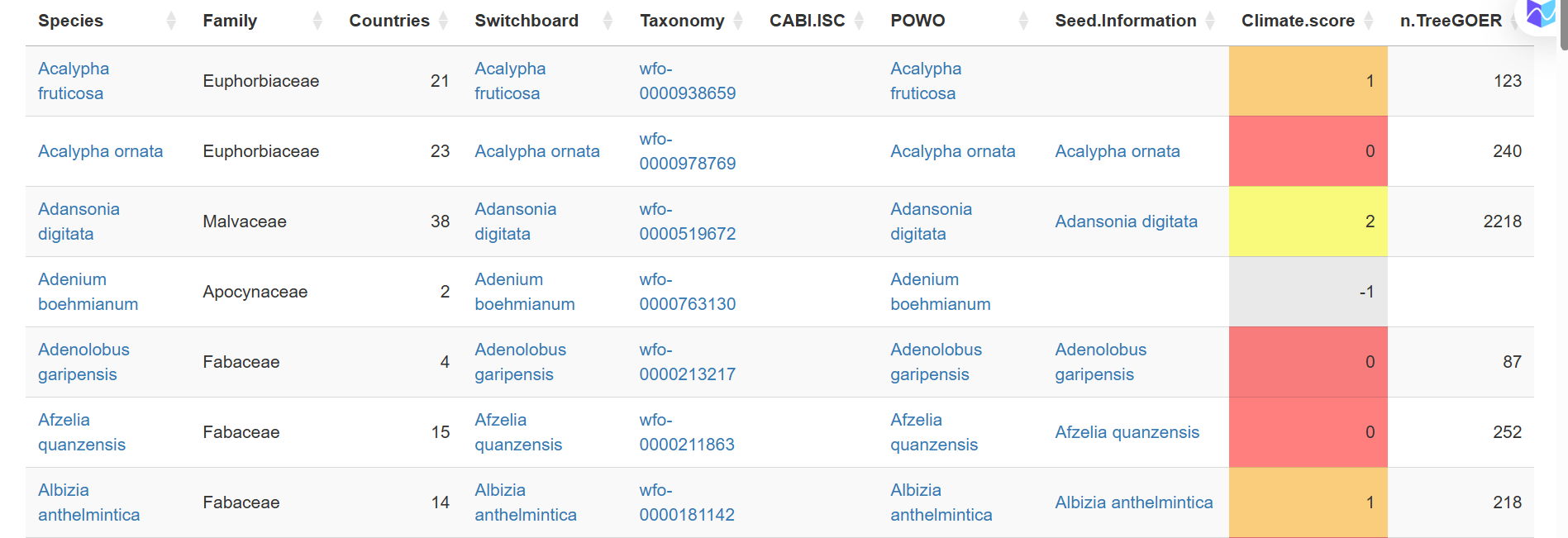
- Score = 3: The planting site falls within the species’ core climate range (25%-75%).
- Score = 2: The site falls within the broader 5%-95% range.
- Score = 1: The site falls within the full documented 0%-100% range.
- Score = 0.5: The site falls outside some ranges but avoids critical extremes (e.g., extreme temperatures).
- Score = 0: The site falls outside the species’ range for key climate variables.
- Score = -1: No data is available for this species in the TreeGOER archive.
Bioclimatic variables
You can set or adjust these key bioclimatic variables to match the conditions at your planting site:
- BIO01 – Mean Annual Temperature (°C)
- BIO12 – Total Annual Precipitation (mm)
- CMI – Climatic Moisture Index
- Tmo10 – Month Count with Temperature > 10°C
- GDD5 – Growing Degree Days above 5°C
- BIO05 – Maximum Temperature of the Warmest Month (°C)
- BIO06 – Minimum Temperature of the Coldest Month (°C)
- BIO16 – Precipitation of the Wettest Quarter (mm)
- BIO17 – Precipitation of the Driest Quarter (mm)
- MCWD – Maximum Climatological Water Deficit (mm)
How to set bioclimatic conditions
You can define the bioclimatic conditions in one of two ways:
- Manually enter variables
Input or edit specific values for the bioclimatic variables listed above to reflect site specific conditions. - Use weather station data
Select a nearby weather station from the Meteostat website, which includes 15,504 global weather stations. This option allows you to apply either baseline (current) or projected future climate data.
Step by step to filtering by bioclimatic score
Aisha wants to refine her species selection based on climatic scores for her planting site. She follows these steps:
Input bioclimatic data
Aisha either selects a nearby weather station from the Meteostat website or manually enters bioclimatic variables if she already has them.
Choose climate data type
She selects whether to use baseline (current) climate data or future projections to account for potential climate shifts.
Review and adjust bioclimatic variables
If using a weather station, the tool pre-fills key bioclimatic parameters, which Aisha can fine-tune to better reflect her site's specific conditions.
Calculate BIOCLIM scores
The system analyzes species suitability based on how well each species' environmental range matches Aisha’s site conditions.
Generate the species list
She clicks “Show Species” tab, and the tool updates her list, displaying species with their climate suitability scores.